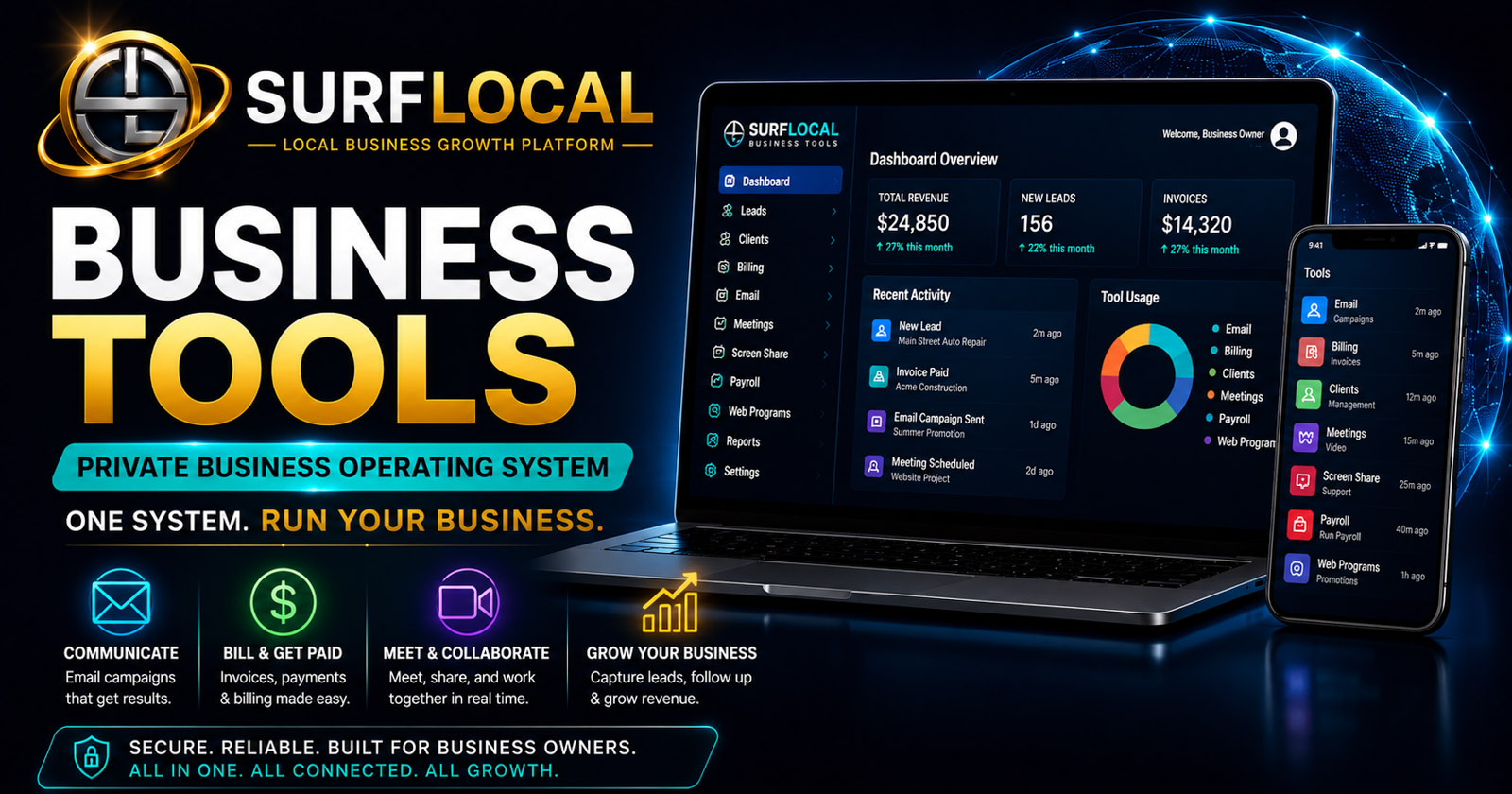
This is not software. This is a working business system.

Most platforms give you tools. This gives you structure. Surflocal is designed around how a real business operates, not just features you have to figure out on your own.

Instead of buying separate systems and trying to make them work together, you start with a complete operating structure: one owner, managers for oversight, and sales users generating revenue from day one.

What most businesses deal with
Problem
  • Multiple systems that do not connect
  • Paying per user for every tool
  • Lost follow-up and missed opportunities
  • No clear workflow from lead to revenue
What Surflocal changes
Solution
  • One connected system for the entire team
  • Built-in team structure with no per-seat pressure
  • Clear workflow from promotion to payment
  • Everything tracked, nothing falls through the cracks

You are not assembling software. You are deploying a system your team can actually use to produce consistent revenue.

Surflocal is a closed-loop revenue system.

Surflocal Business Tools is not just a group of separate software tools. It is a connected system designed to help a business create promotions, send them to customers, track responses, manage follow-up, create billing records, and connect activity back to revenue.

Instead of using one platform for email, another for client records, another for web pages, another for billing, and another for meetings, Surflocal brings those working pieces into one private operating center.

One system. Three working levels.

Each role is not just access level. Each role represents a job inside your business workflow. The system is designed so owners control, managers guide, and sales users execute revenue activity every day.

The system is built around real company structure. The owner controls the operation, managers guide the work, and sales users use the tools every day to promote local businesses and generate revenue.

The Owner
Control

The owner controls the system. The owner manages payroll, billing, user accounts, permissions, and the overall business structure.

  • Controls access and permissions
  • Manages payroll and billing
  • Decides what managers can edit or only view
  • Maintains full visibility across the operation
The Managers
Oversight

Managers keep the operation moving. They monitor activity, help sales users, review client relationships, and make sure opportunities are followed up.

  • Oversee sales activity and follow-up
  • Assist with client organization
  • Support sales users with workflow
  • Operate with owner-approved permissions
The Sales Users
Revenue

Sales users drive the revenue engine. They create promotions, email custom specials, track clients, follow up, and help move business from interest to payment.

  • Create and promote local specials
  • Email customers and prospects
  • Track clients and sales activity
  • Follow up consistently from one system

From promotion to payment, every step connects.

This is not theory. This is how a real sales process runs inside the system from start to finish without switching platforms or losing track of activity.

A sales user can create a promotion, send it to customers, track responses, manage follow-up, and move the client toward billing without leaving the Surflocal system.

1. Create the promotion
Web
A sales user creates a Web Program for a coupon, special, seasonal offer, local promotion, or campaign. The page becomes a reusable link that can be shared anywhere.
2. Send it to clients
Email
The promotion can be sent through Email Campaigns as a direct customer message or a larger campaign. This gives sales users a professional way to reach customers with timely offers.
3. Track the relationship
Client
Client Management keeps the customer record, account status, relationship notes, and follow-up activity organized so the sales user knows who needs attention next.
4. Bill and move revenue
Billing
Billing Management helps create estimates, invoices, quick bills, and payment tracking records so activity can become measurable revenue inside the same business system.

The tools that power the system.

Most systems charge per user. Surflocal is structured for teams. Instead of paying per seat for every login, your business starts with a complete working structure already included.

Typical software stacks increase cost every time you add a person. Surflocal is designed so your core team can operate without multiplying your monthly cost.

Each tool can stand on its own, but the real power comes from using them together. The marketplace lets each business activate the tools it needs now and add more as the team grows.

Core Platform
Core

Used to: Launch and control the full Business Tools system from one private dashboard.

Includes one owner, up to two managers, and three sales users at no cost.

$0/moRequired foundation
Email Campaigns
Email

Used to: Send single emails, bulk campaigns, promotions, updates, reminders, and follow-up messages.

For sales users, this is how local specials and custom offers get directly in front of clients.

$39/moPer month
Screen Sharing
Share

Used to: Share screens for walkthroughs, support, demos, onboarding, and collaboration.

This helps sales and support explain services clearly without needing an outside screen share platform.

$29/moPer month
Video Meetings
Video

Used to: Meet with clients, staff, and partners inside the Surflocal system.

Useful for consultations, onboarding, support sessions, and team communication.

$39/moPer month
Payroll
Payroll

Used to: Manage employee records, payroll runs, tax settings, onboarding documents, and payroll records.

This is owner-controlled so compensation and payroll records stay under proper authority.

$99/moPer month
Client Management
Client

Used to: Organize client records, account status, relationship activity, and follow-up workflow.

This gives sales users and managers visibility into every client relationship and next step.

$69/moPer month
Billing Management
Billing

Used to: Create, save, send, and track estimates, invoices, quick bills, and payment status.

This helps turn sales activity into organized billing and trackable revenue.

$79/moPer month
Web Programs
Web

Used to: Create standalone promotional web pages for specials, coupons, campaigns, and business messages.

This is where the sales user can create a local promotion and turn it into a reusable link.

$59/moPer month

The system grows as your team grows.

You are not rebuilding your system as you grow. The structure stays the same while your team expands, which keeps training simple, costs predictable, and operations consistent.

Add managers for $10/month and sales users for $5/month without introducing new platforms, new logins, or new system complexity.

Every account starts with one owner, two manager seats, and three sales users included. When the business expands, additional managers and sales users can be added without rebuilding the system.

Additional Managers
Team
Add more manager seats when more people need to oversee clients, sales users, workflows, or operations.
$10/moEach additional manager
Additional Sales Users
Team
Add more sales users when more representatives need to promote local offers, track clients, follow up, and generate revenue.
$5/moEach additional sales user

It replaces scattered tools with one connected business workflow.

This is where most businesses lose money. Multiple disconnected tools create gaps in communication, missed follow-up, and lost revenue opportunities. Surflocal eliminates those gaps by keeping everything connected.

Most businesses end up with separate systems for client records, email marketing, landing pages, screen sharing, meetings, billing, and payroll. Surflocal is designed to bring those working pieces together so the team can operate from one place.

What it replaces
Less scattered
  • Separate CRM systems
  • Separate email marketing systems
  • Separate landing page builders
  • Separate billing and invoice tools
  • Separate meeting and screen share platforms
What it creates
More control
  • One private dashboard
  • One connected team workflow
  • One system for promotions and follow-up
  • One view of clients, billing, and activity
  • A sales team that can market and sell from the same platform

Simple definitions for the system.

Use this glossary to explain the system to owners, managers, sales users, or new team members.

Core PlatformThe required dashboard foundation where the business account, users, and tools are controlled.
OwnerThe top-level account user with full authority over billing, payroll, users, tools, and permissions.
ManagerA team user who can oversee activity, assist sales users, and help maintain workflow based on owner permissions.
Sales UserA team user who promotes local offers, tracks clients, sends campaigns, follows up, and helps generate revenue.
Web ProgramA standalone promotional page for a special, coupon, campaign, or business message.
Email CampaignA single or bulk message used to promote offers, send updates, or follow up with customers.
Client RecordThe organized file for a customer or prospect, including notes, status, activity, and relationship history.
Closed-Loop Revenue SystemA workflow where promotion, communication, client tracking, billing, revenue, and payroll all connect.
Next step Tell Surflocal how you want to structure your team and who will need system access.
Surflocal Business Tools logo
Built for business owners, managers, sales teams, agencies, and growing organizations that need the right tools working together in one connected system.

Surflocal works best when the right people have the right tools. Use this step to tell us how your business is structured, who will be using the system, and what you want your team to accomplish.

  • Business owners: confirm the overall system structure and business goals.
  • Managers: identify who may need client management, billing access, or operational oversight.
  • Sales teams and resellers: determine how many users may need communication, demo, outreach, and presentation tools.
Already have a Business Tools Account?
Returning clients can sign in here to access their Business Tools Dashboard and any tools currently enabled for their organization.
We can email your account key, username, login page, and dashboard access details.
Tell us about your organization and goals
This goes directly to David at Surflocal. The more clearly you describe your team structure, goals, and selected tools, the easier it is to match the system to your needs.

Start with a real team, not just software.

You are not buying tools one at a time. You are starting with a complete working structure: one owner, managers, and sales users already built into the system.

That means your team can log in, use the tools, and operate immediately without stacking multiple systems or paying per user just to get started.

  • Owner controls everything
  • Managers guide workflow and activity
  • Sales users generate and track revenue
  • No per-seat pricing pressure
  • No disconnected tools to manage
  • No rebuilding your system later

Fill out the form above and define your team. We will match the system to your structure so you can start operating immediately.

What happens next

1. We review your setup
We look at your team structure, goals, and tool needs.
2. We match your system
Your tools, roles, and access levels are aligned to how you operate.
3. You start operating
Your team logs in and begins using the system immediately.

No complicated setup. No rebuilding your workflow. The system is matched to your business so your team can start working without delay.

If you already know your structure, complete the form above. If not, we will help you define it.

Built and operated by Surflocal Media LLC • Supporting business owners, managers, and sales teams